The BG3 photography fieldbook / Independent · spoiler-conscious
BG3 / Photo mode & composition

Baldur's Gate 3

Play an extraordinary world. Frame your own moments.

A creative field guide to BG3 photography. Learn the controls, plan the subject, and give each screenshot a reason to exist.

From the official Steam gallery

Watch Baldur's Gate 3.

Official videos · Click to play

See the characters, atmosphere and world before you begin. These are the publisher's promotional trailers, not gameplay footage recorded by this site.

Baldur's Gate 3 — First Look at the City · Press Play to start.

Original Steam page ↗

No autoplay. Videos are supplied with this site and load when requested. Trailers may reveal characters or locations; the introduction and written starting guides remain available without playing them. Video rights belong to Larian Studios and the respective rights holders.

What is Baldur's Gate 3?

A cinematic adventure worth looking closely at.

Baldur's Gate 3 is a playable D&D roleplaying campaign, not a photo viewer. You explore a fantasy world, speak with its characters and fight through turn-based encounters. Its conversations, environments and party relationships also make room for deliberate virtual photography.

You can play the adventure normally and use photo mode when a moment catches your eye. A portrait, a sense of scale or the relationship between characters can become the subject of a frame. Learn the game first; use the creative tools to keep a moment rather than treating every scene as a screenshot assignment.

Game overview: PlayStation’s official game page and Steam product page. Images: official Steam promotional material, not publisher playthrough captures.

Baldur's Gate 3 / Inside the experience

The game gives a photograph its context.

A world with scale

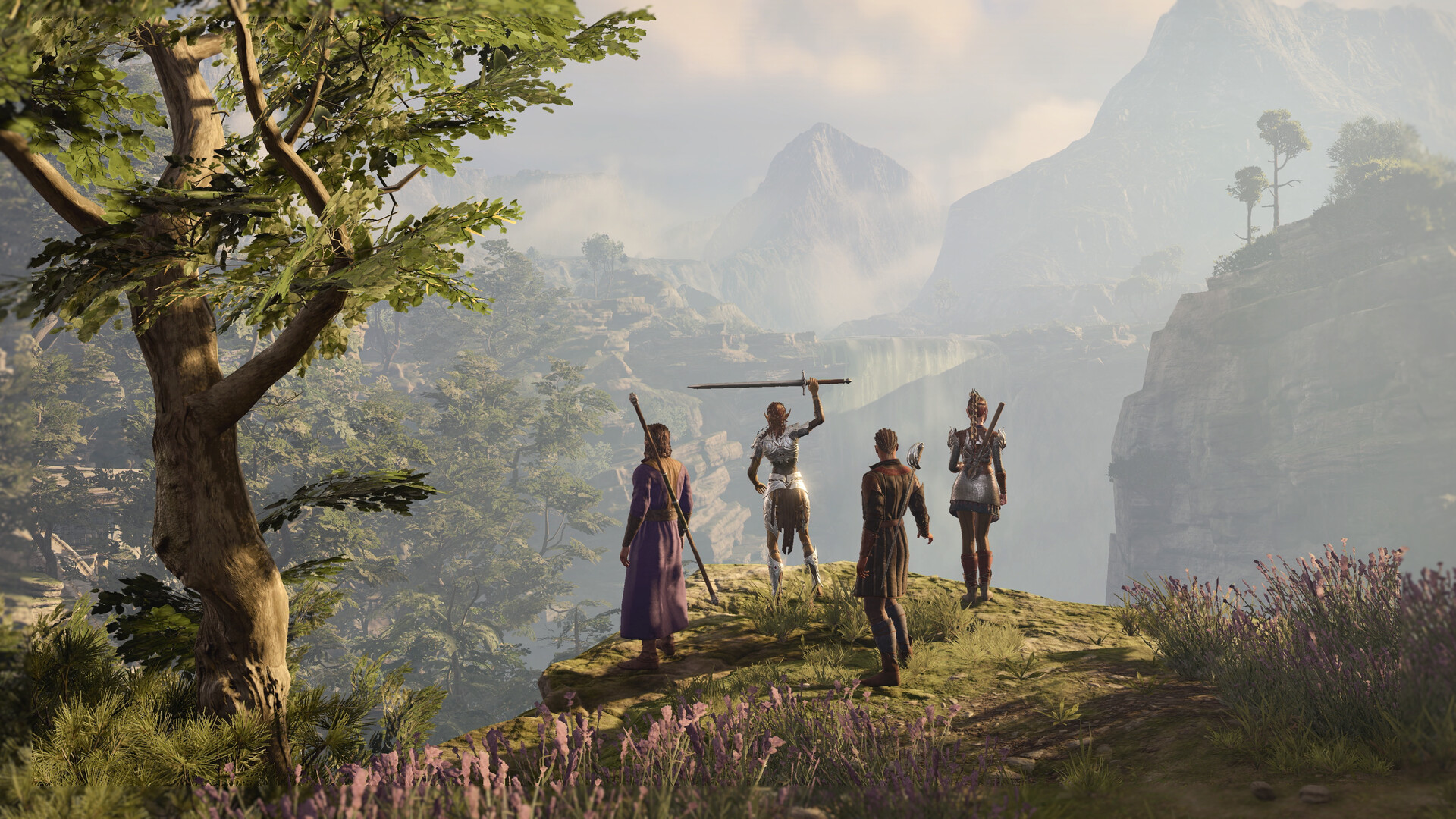
The valley image works because a small party sits inside a much larger landscape. In your own capture, decide whether the character or the place is the subject. Those are different intentions and may call for different framing. You do not need to identify a location or reveal a story outcome to describe the visual relationship.

A character with a readable gesture

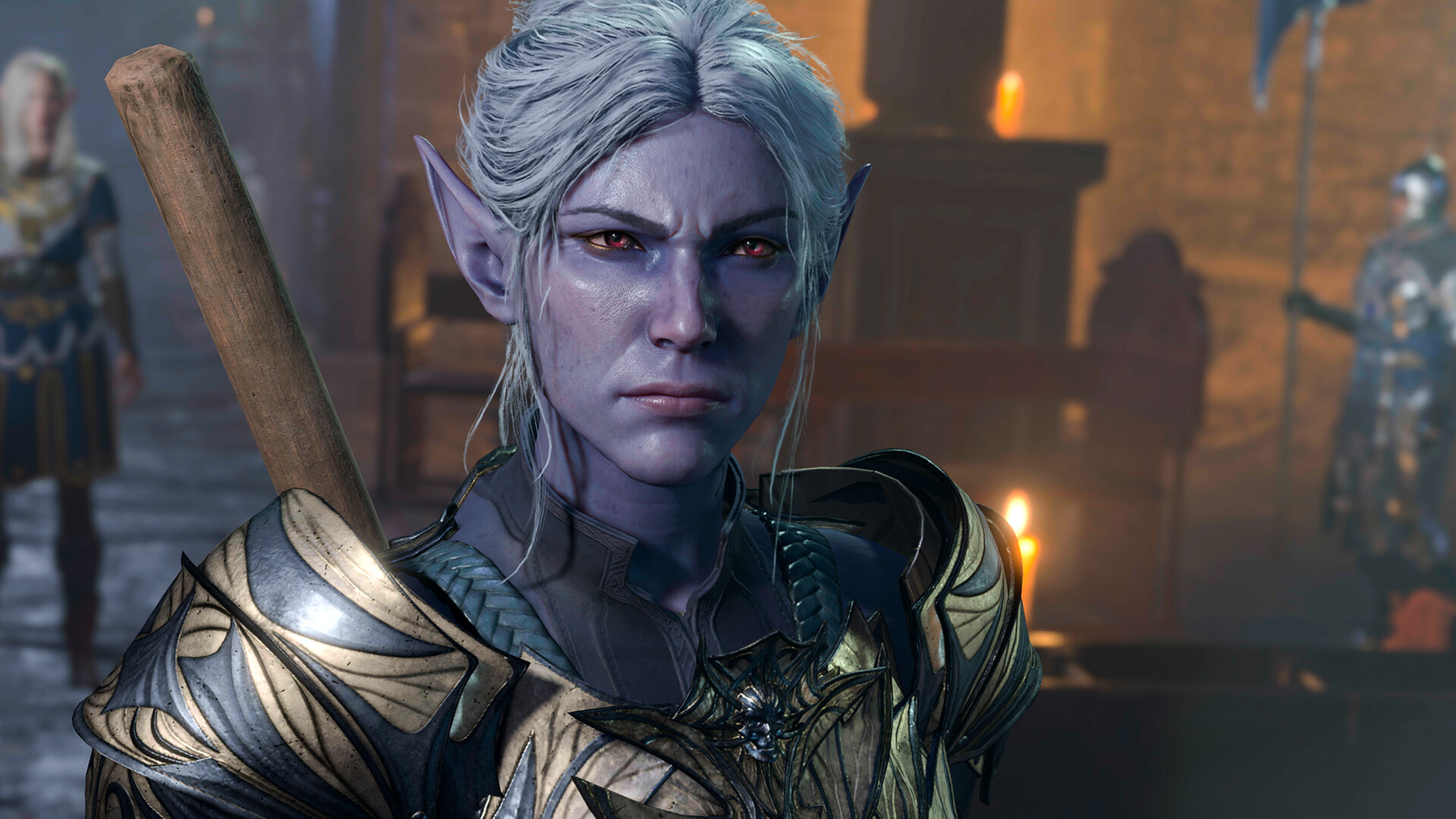
A portrait can be interesting because of a gaze, a hand or a silhouette rather than a large collection of effects. In the official close-ups, look at which part attracts attention first. For your own image, try to state that intention before adjusting the frame. This is visual interpretation, not a claim about the original artist’s process.

An encounter with a focal point

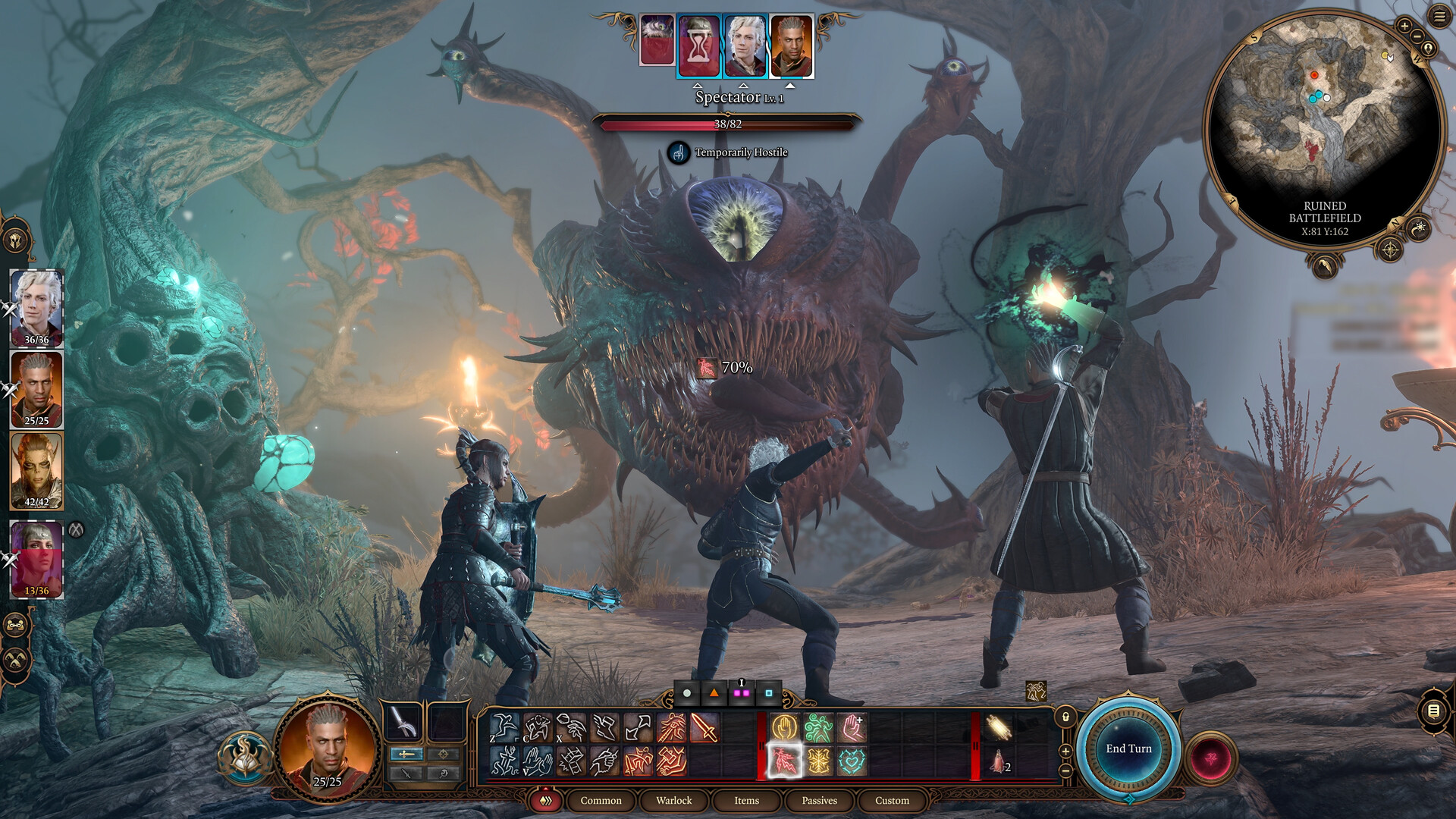
Action scenes can become difficult to read when every effect asks for attention. Decide what the frame should communicate: scale, tension, a gesture or a relationship. Use one untouched capture as a reference and make a deliberate variation. Our exercises do not require a particular story scene or an unofficial camera modification.

An official Baldur's Gate 3 still of four adventurers overlooking a misty valley
The landscape places the party inside a larger world. This official promotional image is not a publisher-captured playthrough. Image source: official Steam gallery.
An official Baldur's Gate 3 portrait showing a white-haired fantasy character in armour
Character presentation is part of the roleplaying appeal. The image illustrates the game and is not a player submission. Image source: official Steam gallery.

A useful before-and-after comparison

Save a reference image, make one framing change and write why it helps or hurts the intended subject. A specific observation—clearer silhouette, quieter background, stronger scale—is easier to reuse than a list of unexplained slider values.

These explanations are editorial interpretation of the game’s documented roleplaying, exploration and turn-based systems. The official game sources are listed in our source register. All images are promotional material, not claims of our own gameplay tests.
Official purchase & download

The adventure comes before the camera.

Step-by-step installation →

Photo mode is part of Baldur's Gate 3, not a separate free download on this site. Install the licensed game on your supported platform, then use the in-game photo controls when a scene allows them.

Prices, promotions and account conditions are shown by the store for your region. A storage requirement is not the exact download size.

How to play Baldur's Gate 3

Play the adventure. Keep the moment.

Read the complete starting guide →
01

Begin the campaign

Install and launch the game, then start New Game or load your own save. Photo mode is a feature inside the game.

02

Learn the normal loop

Explore a scene, speak to a character and understand a turn-based encounter. Photographs work better when you know what the moment means.

03

Open photo mode

Use the in-game camera entry. PC’s listed default shortcut is F9; console uses both analogue sticks.

04

Choose a visual subject

Start with a character, place or relationship. Adjust the available controls, capture it and find the result in the appropriate folder or gallery.

The sequence is an editorial starting plan. Game facts are linked in the full guide; it is not a claim of hands-on testing on every platform.

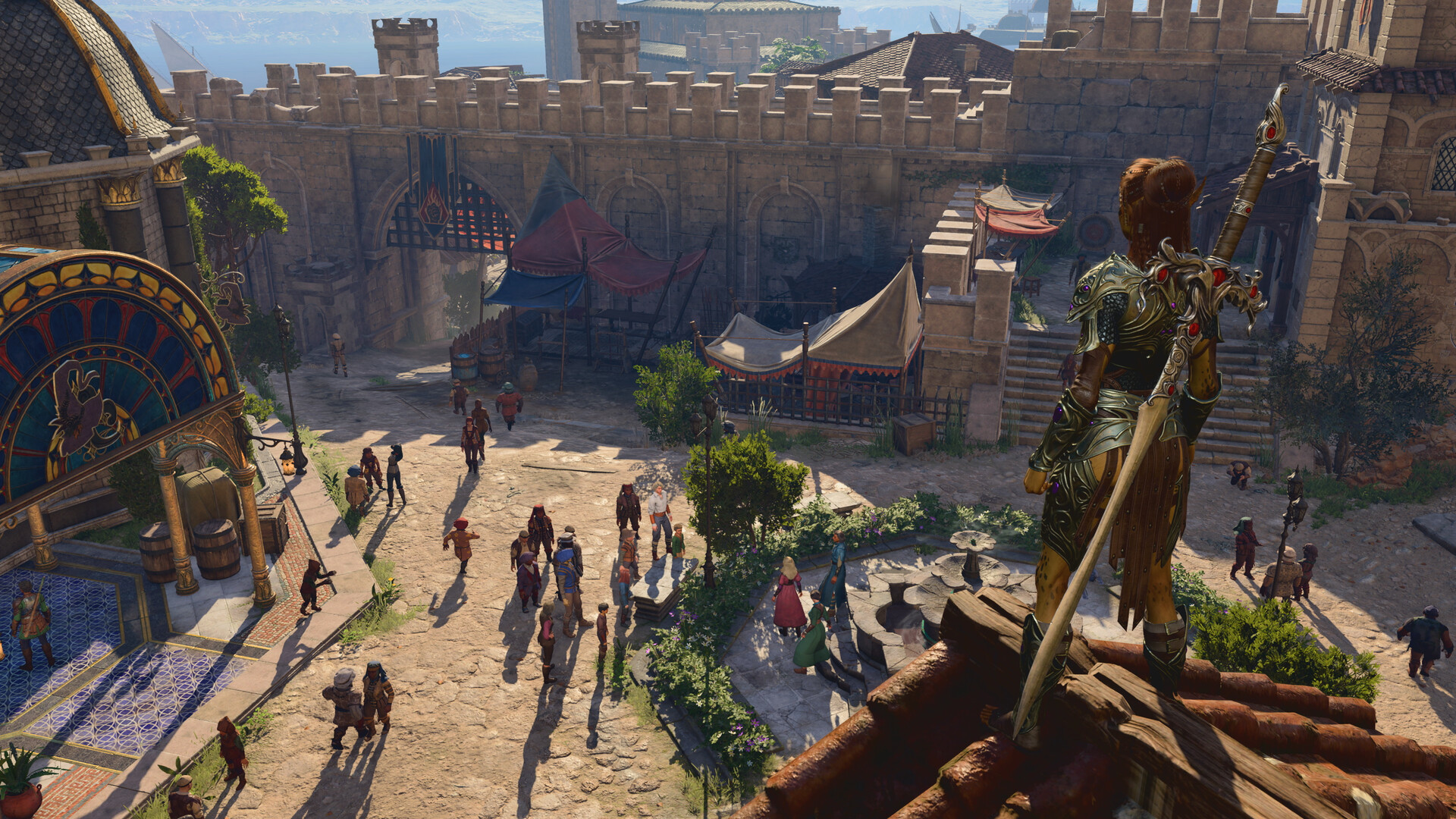
Official BG3 city screenshot showing a rooftop figure looking across a courtyard
COMPOSITION STUDY / foreground → courtyard → distance
Official Steam promotional still · Larian Studios. Grid is an editorial overlay.
A small creative brief

One scene.
One intention.

Plan what you want to notice before adjusting settings. This tool writes a composition brief; it does not control the game or render an edited image.

LOOK.
CHOOSE.
REFINE.

What are you framing?

A deliberate limit

A gallery without
borrowed playthroughs.

The image here is credited promotional material, not a claim that we captured a scene. Our contribution is the visual reading, shot exercises and organization method. No invented community submissions or reviews.

See image and feature sources →